
Sub-Zero Air Purification Icon Flashing? What It Means and How to Clear It

Is the little air-filter icon on your Sub-Zero blinking at you? Good news: it's not a malfunction, and your refrigerator is working exactly as designed. That flashing icon is your Sub-Zero's way of telling you one thing — it's time to replace the air purification cartridge. Here's exactly what the light means, how to clear it on your specific series, and how to keep the odor-and-ethylene scrubbing working the way it should.
What the flashing air purification icon means
Sub-Zero's air purification system quietly scrubs the air inside your fresh-food compartment of odors and ethylene gas roughly every 20 minutes, using NASA-developed technology. To do that job, the cartridge has a small internal bulb and catalyst that wear out over time. When the system has been running for about 365 days — or if the cartridge bulb burns out early — the control board flashes the air-filter icon to prompt a swap.
The icon looks like a small sheet of paper with three wavy lines across it. Reading it is simple:
- No icon showing — the air purification system is turned off.
- Icon showing, steady (not flashing) — the system is on and working normally.
- Icon flashing — the cartridge needs to be replaced.
👉 One reassuring note straight from Sub-Zero: the air purification system is optional. In their words, "no harm will be done to the Sub-Zero unit if the air filter is not replaced or not used." The fan that drives the system only runs when the system is switched on, so leaving it off causes no damage. That said, if you bought a Sub-Zero, you bought it for the freshness — and a fresh cartridge is what keeps produce from ripening and spoiling early.

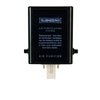
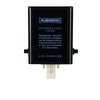
Which filter clears the light: the genuine 7042798
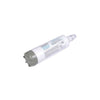
The flashing icon is cleared by installing a fresh cartridge and then resetting the timer. The genuine OEM part you need is the Sub-Zero 7042798 air purification cartridge. If your paperwork or old cartridge shows 7007067, you're in the right place too — 7042798 is the current genuine part that replaces the older 7007067, and it fits the same units.
Why insist on the genuine cartridge? Because the bulb, catalyst, and connector are matched to your refrigerator's control board. A generic look-alike may not trigger the reset correctly, and it can't be counted on to scrub ethylene the way the real one does. Genuine Sub-Zero is the only part engineered — and tested — for the job.
How to clear (reset) the icon by series
Here's the part most owners get stuck on: replacing the cartridge alone does not stop the flashing. You have to reset the filter-life monitor on the appliance itself. The exact steps depend on your series.
| Series | How to reset the air filter icon |
|---|---|
| Classic (BI / CL) | Once the new cartridge is installed, touch and hold the PURE AIR key on the control panel for about five seconds. The icon stops flashing and shows steady, confirming the timer reset. |
| PRO | Follow the prompt on the display and touch "Refresh" to reset the cartridge life indicator back to 100%. Not ready to change it yet? Touch "Snooze" to delay the reminder for 24 hours. |
| Designer (IT / IC / DET / DEC) | On the touchscreen, open Settings → Information → Filters, then press and hold the air-filter icon (or tap Reset Filter → Yes) to return it to 100%. Steps vary slightly by model — your Use & Care Guide shows the exact path. |
👉 Important: the reset has to be done on the refrigerator first. If you use the Sub-Zero Group Owner's App, its air-filter life reading will catch up and refresh on its own within a few hours — you can't reset the appliance from the app alone.
Pressing the pad of your fingertip (not a nail) helps the touch controls register. And if the icon keeps flashing after a genuine cartridge and a proper reset, that points to a hardware issue — time to contact Sub-Zero Factory Certified Service.

Where the cartridge lives and how to swap it
On Classic and PRO models, the air cartridge sits on the inside back wall of the refrigerator, up in the upper-right area, often between the top two shelves (you may need to slide a shelf out to reach it). To change a Classic cartridge, hold the outer cover from the bottom and rotate it up, then rotate the black inner cover down so the old cartridge pops out. Slide the new one in with the connector pointing down, close the black cover, and rotate the outer cover back down until it clicks shut. No tools required.
Then reset the icon using the steps for your series above. For a full step-by-step with photos, see our guide on how to install a Sub-Zero air filter the right way.
Which Sub-Zero models have air purification?
Not every Sub-Zero includes the air purification system, so if you don't see an air icon at all, your model may simply not have it. Models equipped with air purification include the Classic (BI, CL) series, the Designer (IT, IC, DET, DEC) column series, Tall models, Drawer models ID-30RP and ID-36RP, and the PRO 4850 and PRO 3650. All-Freezer units do not have it. Want the deeper background on how the technology works? Read how Sub-Zero's NASA-inspired air purification works.

While you're at it: check the water side too
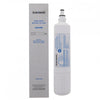
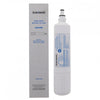
If your air icon is flashing, there's a decent chance your water filter is due as well — both are on a roughly annual cadence. The genuine water cartridge for most built-in and column Sub-Zeros is the 4204490 water filter, and knocking both out in one visit saves you a second trip behind the grille. Many owners keep it simple with the water + air filter combo pack so the right parts are on hand the moment either icon lights up.
👉 Stock-up tip: unused Sub-Zero cartridges have no shelf life or expiration date as long as they're sealed and never installed, so buying a spare now is money well parked. More on timing in our guide to how long Sub-Zero water and air filters last.
Frequently asked questions
Why is my Sub-Zero air purification light flashing?
Because the air cartridge has reached the end of its service life — about 365 days of use — or the cartridge's internal bulb has burned out. Replace it with a genuine 7042798 and reset the indicator.
How do I turn off the flashing air filter icon?
Install a new cartridge, then reset the filter-life monitor on the appliance: Classic (BI/CL) owners hold the PURE AIR key for five seconds; PRO owners touch "Refresh" on the display; Designer owners reset it through Settings → Information → Filters on the touchscreen.
Can I just ignore the flashing icon?
You can — Sub-Zero confirms no harm comes to the unit if the air filter isn't replaced or used. But the ethylene-and-odor scrubbing stops working as it should, so your produce won't stay fresh as long. For a premium refrigerator, that's the whole point.
Is 7042798 the same as 7007067?
The 7042798 is the current genuine Sub-Zero air purification cartridge and it replaces the older 7007067. If your old part number is 7007067, order the 7042798 — it fits the same units.
My icon still flashes after replacing the cartridge. What now?
You likely need to run the reset step for your series on the appliance itself (not just the app). If it keeps flashing after a genuine cartridge and a proper reset, contact Sub-Zero Factory Certified Service — the bulb or control may need attention.
The bottom line
A flashing air purification icon is a simple, normal reminder — not a breakdown. Drop in a genuine Sub-Zero 7042798 cartridge, run the five-second reset for your series, and the light goes steady again. Keep a spare on the shelf and your Sub-Zero keeps doing what it does best: keeping your food fresher, longer. New to the air system entirely? Start with what the Sub-Zero air filter is and whether you actually need one.
- Home Appliance Specialists


Comments 0