
Sub-Zero Water Filter Light Won't Reset? Here's How to Fix It

You did everything right. You bought a genuine Sub-Zero water filter, twisted it into place, and expected that little REPLACE FILTER light to disappear. But it's still glowing — or worse, still flashing — and now you're wondering if you installed something wrong or if your refrigerator needs service.
Good news: in the vast majority of cases, a Sub-Zero water filter light that won't turn off is not a broken fridge. It simply means the filter life monitor hasn't been reset yet. That's a separate step from swapping the cartridge, and it works differently depending on which Sub-Zero series you own. Below you'll find the exact reset procedure for each model, plus what to do when the light stubbornly stays on anyway.

Why the Sub-Zero water filter light stays on
Your Sub-Zero doesn't "sense" a fresh filter automatically. Instead, a control board runs a water filter life monitor that tracks two things at once: time (8,760 hours, or roughly one year) and water flow (up to 750 gallons). Whichever milestone it reaches first triggers the REPLACE FILTER reminder.
Here's the key: replacing the physical cartridge does nothing to that counter. The monitor keeps counting from where it left off until you tell it to start over. That's why the light stays on after a swap — you've changed the filter, but the fridge is still displaying the old data. Reset the monitor, and the light clears.
👉 Tip: If you're not even sure it's time to replace yet, Sub-Zero describes the indicator as showing "four drops of water passing through a horizontal sheet of paper." Once you see that, you're due.
How to reset the water filter light (by series)
Sub-Zero built the reset into two very different interfaces. Find your series below.
Classic (BI) and PRO models — the white reset button
On Classic (formerly Built-In) and PRO refrigerators, the filter lives behind the grille, and the reset is a physical button:
- Install your new genuine Sub-Zero 4204490 water filter with a simple quarter-turn twist.
- Find the white filter reset button to the left of the water filter, on the front of the condenser cover.
- Press and hold it for five full seconds. That resets the water filter life monitor.
If you use the Sub-Zero Group Owner's App, the filter reading should refresh on its own within a few hours of the reset — so don't panic if the app still shows old data right after you press the button.
Designer (IT, IC, DET, DEC) — the touchscreen menu
Designer series refrigerators use a touchscreen, so the reset is a menu item rather than a button. If the "Change Filter" message is not currently on screen:
- Tap the arrow on the left side of the Home screen to open the Options menu.
- Tap the gear icon for Settings.
- Select the "i" icon for Information.
- Tap Filters to open the Water and Air Filters menu.
- Press and hold the dripping-water icon on the far left for five seconds. This resets the water filter to 100%.
If the "Change Filter" message is showing, tap Reset Filter, then select Yes on the Reset Filter Life Timer screen to return the counter to 100%. One important note: keep the filter timer enabled whenever you're using the internal Sub-Zero filter. Only disable it if you've plumbed in external filtration like a reverse-osmosis system.
Still won't reset? Work through this checklist
If you've done the reset for your series and the light is still on, don't call for service just yet. Sub-Zero's own troubleshooting path is simple, and it clears most stubborn cases.

- Re-seat the cartridge. Turn the unit off, remove the water filter, install it again firmly, and turn the unit back on. A cartridge that isn't fully twisted in can keep the light active.
- Give the app a few hours. If you're checking the Owner's App rather than the fridge itself, remember the reading updates on a delay. The panel light is the real-time source of truth.
- Confirm you held the button long enough. Five seconds feels longer than you'd expect. A quick tap won't trigger the reset — hold steady.
- Check that it's a genuine filter. Aftermarket cartridges don't always seat the same way in Sub-Zero housings, which can interfere with the monitor. A genuine OEM part is engineered to fit and reset cleanly.
- Then, and only then, call for service. If the light persists after all of the above, Sub-Zero recommends professional diagnosis, since a rare sensor or control-board fault may be involved.
What if it's the ice maker's REPLACE FILTER light?
The undercounter UC-15I / UC-15IP ice maker has its own separate filter and its own REPLACE FILTER light — and owners often confuse the two. That filter is the genuine Sub-Zero 7042803, and on that machine you reset the reminder by simply removing and reinstalling the filter. Sub-Zero also advises replacing it every six months, after any prolonged shutdown, or whenever the red light comes on — and discarding the first batch of ice after a swap.
Genuine OEM: why it matters for a clean reset
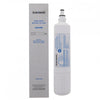
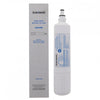
The 4204490 isn't just a filter — it's the current genuine cartridge for most Sub-Zero built-in and column refrigerators, certified to NSF/ANSI 42 and 53. It reduces chlorine taste and odor by 97.5%, lead by 99.3%, cysts by 99.99%, plus a long list of particulates, pesticides, and VOCs. Sub-Zero specifically recommends ordering genuine replacements and swapping on schedule so the filter performs as advertised — and so your filter monitor tracks accurately.
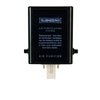
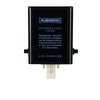
👉 Stock-up tip: Unused Sub-Zero filters have no shelf life. As long as water never runs through the cartridge, there's no expiration or "use by" date. That makes a two-pack of 4204490 filters a smart buy — you'll have next year's replacement ready the moment the light comes on, no scrambling. If your fridge also has air purification, the water + air combo pack covers both in one order.

Not sure which cartridge your model takes? Our model-by-model water filter guide matches your Sub-Zero to the right part in about a minute.
Frequently asked questions
Why is my Sub-Zero water filter light still on after I changed the filter?
Because replacing the cartridge doesn't reset the filter life monitor. The control board keeps counting time and water flow until you manually reset it — with the white reset button on Classic and PRO models, or through the touchscreen Filters menu on Designer models.
How long do I hold the Sub-Zero water filter reset button?
Five full seconds. On Classic and PRO models, hold the white reset button to the left of the filter. On Designer models, press and hold the dripping-water icon in the Filters menu for five seconds.
My Sub-Zero app still shows the old filter status — did the reset fail?
Not necessarily. The Sub-Zero Group Owner's App updates on a delay and should refresh within a few hours of a reset. Trust the light on the fridge itself as the real-time indicator.
The light won't reset no matter what — what now?
Turn the unit off, remove and reinstall the filter, then power back on and try the reset again. Confirm you're using a genuine cartridge and holding the button the full five seconds. If it still won't clear, Sub-Zero recommends professional service to check the sensor or control board.
Do I need to reset the light for the ice maker filter too?
The UC-15I ice maker uses a separate 7042803 filter with its own light. Reset it by removing and reinstalling the filter, and replace it every six months or when the red light appears.
Home Appliance Specialists stocks genuine OEM Sub-Zero water, air, and ice maker filters — the exact parts your refrigerator's monitor is built to recognize. Order the right one, reset the light, and get back to great-tasting water.
- Home Appliance Specialists


Comments 0